

High Performance Personal Electronics Guide for Smart Homes
Last Updated: November 17, 2026
Quick Summary
Personal electronics are high performance when the processor, memory, and connectivity work together without a weak link, since the weakest of the three sets the ceiling. Judge a device by your daily routine and the specs tied to it, not by the biggest number on the box.
- Quoted Bluetooth range is measured line-of-sight, so walls and crowded spectrum cut it substantially.
- A three-device charging stand splits its wattage, so charging three devices at once is slower.
- Higher processing speed draws more power, and heat triggers thermal throttling that reduces clock speed.
- Score every device on responsiveness, sustained output, runtime, connection stability, and support horizon.
- Brightvie backs its consumer electronics with fast US shipping and a 30-day money-back guarantee.
Table of Contents
- What Makes Personal Electronics High Performance
- Personal Electronics Buying Guide by Device and Use Case
- How to Choose Personal Electronics for Your Home and Routine
- Personal Electronics Features and Specifications That Matter
- Electronics Buying Tips for Value, Security, and Support
- Performance Benchmarks and Real-World Trade-Offs
- Ordering High Performance Personal Electronics from Brightvie
- Frequently Asked Questions
What Makes Personal Electronics High Performance
Personal electronics are high performance when every part of the chain, processor, memory, and connectivity, works together without a weak link. Brightvie sells consumer electronics, and the question we hear most is simple: why does one pair of headphones feel instant while another stutters? The answer is rarely one big spec. It is balance. Speed means nothing if the battery dies in an hour, and a long battery means nothing if the connection keeps dropping.
Processor, Memory, and Connectivity Basics
Three things decide how a device feels in daily use. The processor handles instructions, and CPU frequency in MHz tells you how fast it cycles, but architecture matters more than raw speed. Embedded memory determines how much the device can hold in active use; too little and menus lag. Connectivity covers Bluetooth, Wi-Fi, and the radio link to your phone or router. A device with a fast processor and a weak radio still feels slow. In practice, the weakest of the three sets the ceiling.
Personal Electronics Buying Guide by Device and Use Case
Start with the job, not the spec sheet. The useful sequence is: name the routine, name the constraint, then read only the specs that touch that constraint. Below is a device-by-device framework for the four categories in this guide, plus the questions that separate a good fit from a return.
Headphones: calls, commute, or critical listening
For calls, microphone clarity and background-noise rejection matter more than driver size. Look for a built-in mic with noise suppression and check whether the headset supports the hands-free profile your phone uses for calls, because a headset can sound excellent for music and still route call audio poorly.
Watch out: quoted Bluetooth range is measured line-of-sight in open air; walls, bodies, and crowded 2.4 GHz spectrum cut it substantially, so treat any range figure as a best case.
Chargers and charging stations: match the protocol, not the plug
A charging stand is only as good as its compatibility with your phone's charging protocol and case thickness. Check three things before buying: the coil alignment (a stand that centers the coil poorly charges slowly or not at all through a thick case), the total output shared across devices (a three-device stand splits its wattage, so charging three devices at once is slower than charging one), and whether the stand includes its own power adapter. Many multi-device stands ship without a wall adapter, and the adapter's wattage caps what the stand can deliver.
Mice and input devices: latency versus maintenance
The USB wired optical mouse offers a 1600 DPI optical resolution and a simple plug-in connection for laptops and compatible computers, suitable for office and casual gaming use.

Printers: consumables decide the real cost
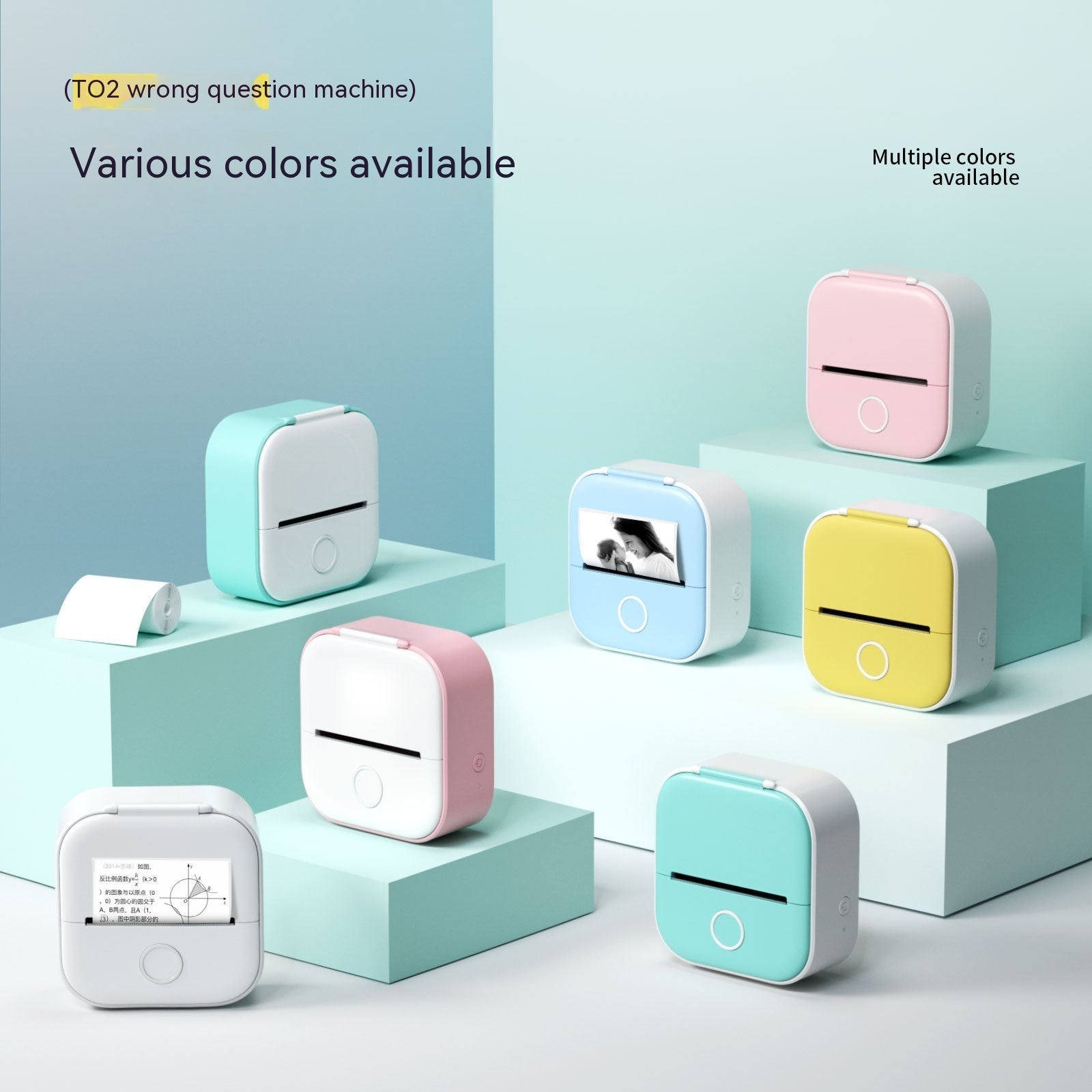
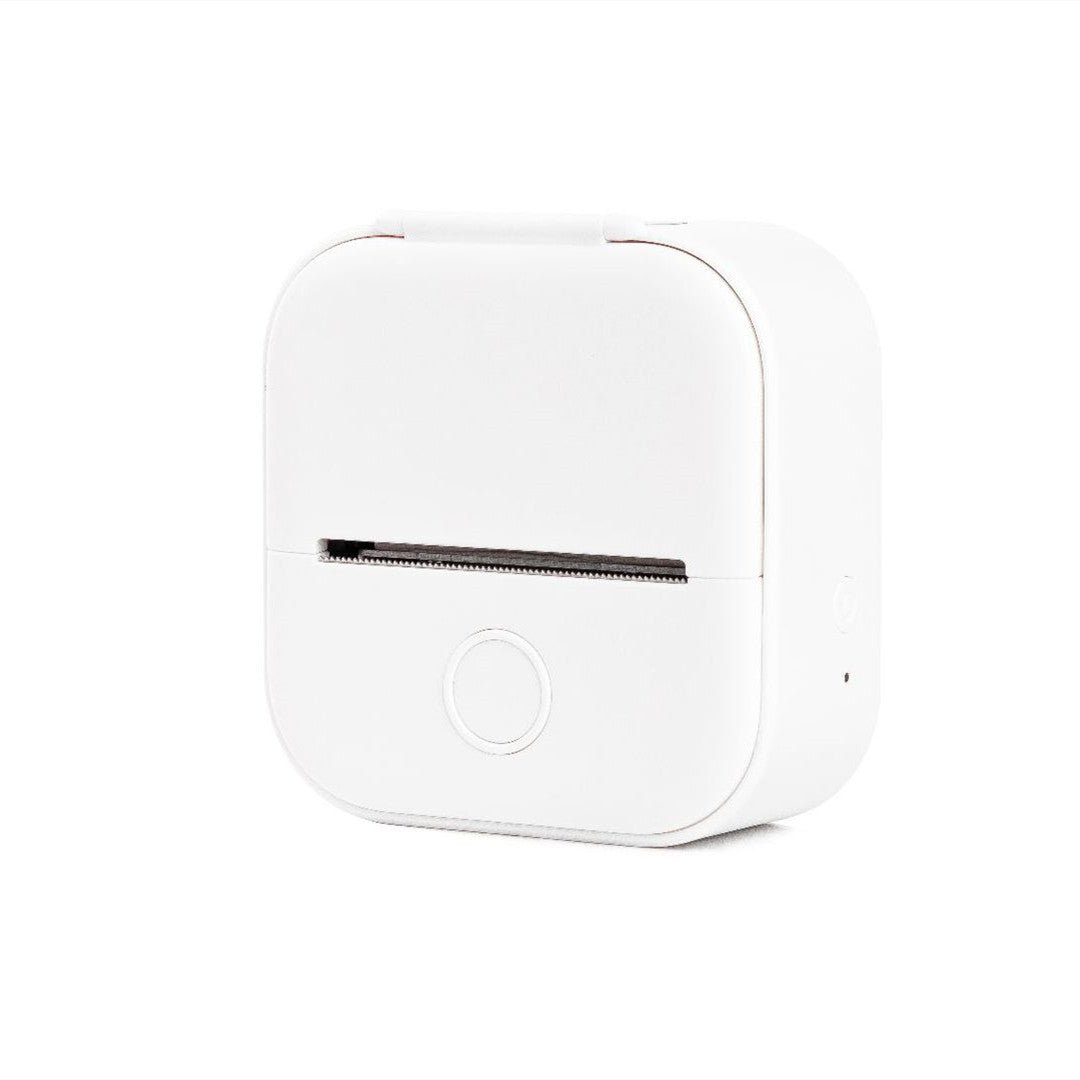
The mini Bluetooth label printer uses thermal paper instead of ink cartridges, so there are no ink cartridges to replace. Some variants contain printer paper or accessories only, so review the selected option and device compatibility before ordering. The mini Bluetooth label printer is the matching product to inspect and order.
The four-check filter, applied per device
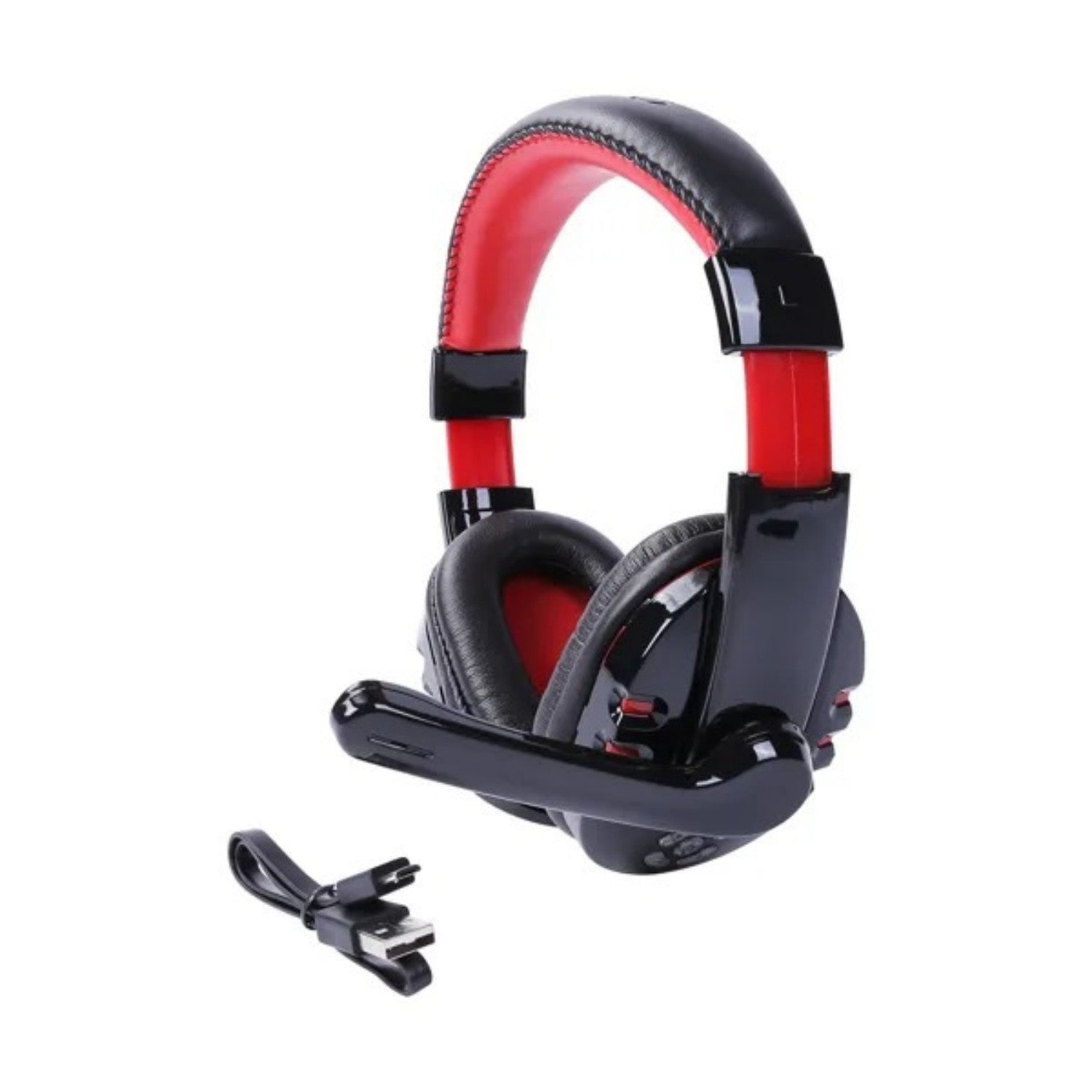
Run every candidate through the same four checks before price: compatibility (does it work with the phone, case, or network you already own?), power (does it need a special adapter or a charging routine you will actually keep?), connection (does it use a protocol your devices support, and is the range realistic for your space?), and support (what is the return window, the warranty length, and does the maker publish firmware updates?). The table above is a starting shortlist, not a verdict; the filter is what turns a shortlist into a decision. To check specs and buy, view the Bluetooth headphones over ear product page.
How to Choose Personal Electronics for Your Home and Routine
Check compatibility with your phone, case, or network before you buy, and confirm the return window before you pay. Review the product listing for shipping, delivery, and returns details.
Personal Electronics Features and Specifications That Matter
The specs that matter are the ones tied to a daily task. Resolution, frequency response, charging output, and button count all mean something, but only against a use case. What most guides miss is that two devices with identical headline numbers can behave very differently once thermal limits and power draw enter the picture.
Battery Life, Power Consumption, and Thermal Limits
Battery life is a trade-off, not a score. Higher processing speed draws more power, and more power means heat. When a device gets hot, it slows itself down to protect the components, which is why a laptop or phone can feel fast for ten minutes and sluggish after an hour. Low-power operation and energy efficiency are the design choices that keep a device cool and steady. For headphones, Bluetooth range and battery life vary with device settings and operating conditions.
Electronics Buying Tips for Value, Security, and Support
Value for money is total cost, not sticker price. A cheap device with no support and a short lifespan costs more than a well-supported one. On security, treat every connected device as a small computer: change default passwords, install firmware updates, and check whether the maker publishes security patches at all. For any connected device sold in the United States, the Federal Trade Commission's guidance on connected device security is a useful baseline for what reasonable protection looks like. The CISA's guidance on securing Internet of Things devices adds practical steps for home networks.
Performance Benchmarks and Real-World Trade-Offs
Benchmarks measure a device under ideal conditions: a cool chassis, a full battery, a clean radio environment, and a workload that repeats identically. Your living room is none of those. The useful skill is not reading benchmark scores but translating them into the conditions you actually use, and comparing devices on criteria that mean the same thing across categories.
A comparable set of criteria across device categories
Most benchmark coverage compares phones to phones and laptops to laptops, which leaves buyers unable to compare a headset to a charger to a mouse. A cross-category comparison works if you score each device on five criteria that apply to all of them:
- Responsiveness: how quickly the device reacts to input. For a mouse this is sensor and polling behavior; for headphones it is audio latency; for a charger it is time-to-useful-charge.
- Sustained output: how the device performs after ten minutes, not ten seconds. This is where thermal throttling shows up.
- Runtime or uptime: battery life for portable devices, continuous operation for plugged-in ones.
- Connection stability: how often the link drops at realistic distance and in a crowded radio environment.
- Support horizon: how long the maker commits to firmware and security updates.
Scoring on the same five criteria is what makes a benchmark comparable rather than decorative.
The performance-versus-battery-versus-heat triangle
The mechanism is straightforward. Processing speed scales roughly with power draw, power draw becomes heat, and heat triggers thermal management that reduces clock speed to protect the components. That is why a laptop or phone can feel fast for ten minutes and sluggish after an hour: the first ten minutes run at boost clocks, and the sustained state is the one you actually live in. Battery capacity sets how long the device can sustain that draw before it must reduce it.
How to test a device in the store or in the first week
You do not need lab equipment to catch the common failure modes. Run a sustained task for at least fifteen minutes and notice whether the device slows or warms noticeably. Move away from the router or phone and check whether the connection holds at the distance you actually use.
Score every device on the same five criteria so a headset, a charger, and a mouse can be compared honestly.
| Criterion | What it measures | Example across devices |
|---|---|---|
| Responsiveness | How quickly the device reacts to input | Mouse sensor and polling; headphone audio latency; charger time-to-useful-charge |
| Sustained output | Performance after ten minutes, not ten seconds | Where thermal throttling shows up |
| Runtime or uptime | Battery life or continuous operation | Battery life for portable devices; continuous operation for plugged-in ones |
| Connection stability | How often the link drops | Realistic distance and crowded radio environment |
| Support horizon | How long the maker commits to updates | Firmware and security updates |
Ordering High Performance Personal Electronics from Brightvie
Brightvie offers a curated selection of consumer electronics, backed by fast US shipping, secure checkout, and a 30-day money-back guarantee. If you are unsure which device fits your setup, our personalized support to find the perfect consumer electronics exists for exactly that question. The Consumer Reports buying guide library is a solid independent reference if you want to cross-check a category before ordering.
The hard part of buying electronics is not finding specs, it is knowing which ones your routine actually rewards. That is the gap we close.
Frequently Asked Questions
What makes a personal electronic device high performance?
High performance comes from the combination of processor speed, embedded memory, connectivity, and energy efficiency. A device with a fast CPU and reliable Bluetooth or Wi-Fi will feel responsive, while low power consumption keeps battery life strong. For everyday personal electronics, look at the processor, RAM, wireless standard, and how well the device handles heat. A $35.87 pair of Bluetooth headphones with cushioned ear pads and a built-in microphone can deliver high performance for calls and music if its Bluetooth range and battery life match your routine.
How do I compare personal electronics before buying?
Start with a personal electronics buying guide that lists the specifications you actually use. Compare processor and memory for speed, battery life and power consumption for portability, and security features for connected devices. Check the return window and warranty too. At Brightvie, every order includes a 30-day money-back guarantee, so you can test a wireless charging station or USB mouse at home. Read the compatibility notice before ordering, especially for charging stands that must match your phone and case.
How can I get the best value when shopping for personal electronics?
Set a budget and prioritize the features you will use daily. A wired optical mouse at $11.23 with 1600 DPI covers office and casual gaming without extra cost. A 3-in-1 wireless charging station at $37.91 replaces several cables and chargers, which often costs less than buying them separately. Watch for free US shipping on orders of $35 or more, and factor in the 30-day return policy. Value comes from reliability and support, not just the lowest sticker price.
How can I choose personal electronics that work together?
Check compatibility before you buy. Confirm Bluetooth versions, charging standards, and device options for each product. The 3-in-1 wireless charging station has options for compatible Apple or Samsung devices, and the listing advises confirming your device, case, and power adapter. The mini Bluetooth label printer connects to a compatible mobile device. If you are unsure, contact Brightvie support by phone or email before ordering, and keep packaging until you have tested the setup.
What should I know about security and software support for connected devices?
Connected devices such as smart home gadgets and Bluetooth accessories rely on firmware updates and secure pairing. Change default passwords, keep the companion app updated, and connect only to trusted networks. Before buying, check that the manufacturer provides software support and clear security guidance. Brightvie offers secure checkout and a 30-day money-back guarantee, and each product listing includes compatibility details. For headphones and printers, pair only with devices you control.
How do I balance performance with battery life and heat?
Higher processor speed and brighter displays use more power and generate more heat. For personal electronics, match the device to the task. Over-ear Bluetooth headphones with deep bass and a built-in microphone are built for comfort during long listening sessions, but battery life varies with volume and device settings. Wireless chargers can warm a phone during charging, so use a compatible adapter and avoid thick cases. If a device runs hot or drains quickly, reduce brightness or close background apps.
